- Published on
Sharing Skills: Repository Commits, Plugins, and Enterprise Deployment
- Authors

- Name
- Anablock
AI Insights & Innovations
Sharing Skills: Repository Commits, Plugins, and Enterprise Deployment
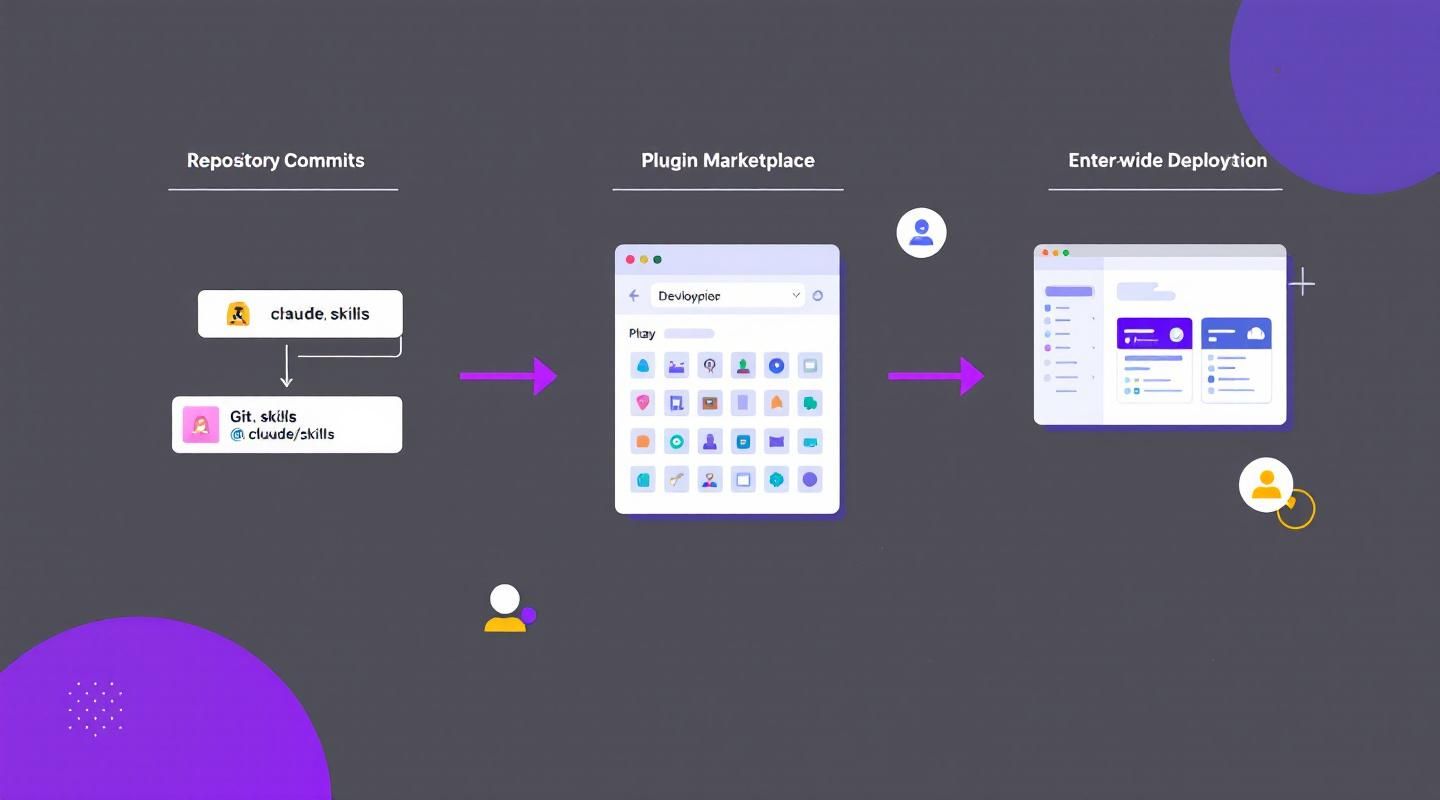
Skills become much more valuable when they're shared across a team or organization. A PR review skill that only you use is helpful, but that same skill shared across your entire team standardizes code review and creates a consistent experience. This guide covers the three main distribution methods and explains how to configure custom subagents to use skills.
Why Share Skills?
Sharing skills across your team:
- Standardizes workflows — Everyone follows the same code review process
- Reduces onboarding time — New team members get best practices automatically
- Ensures consistency — Security audits, testing procedures, and documentation follow the same standards
- Scales expertise — Senior developers' knowledge becomes available to the entire team
The Three Distribution Methods
1. Repository Commits (Project Skills)
The simplest sharing method is committing skills directly to your repository.
How it works:
- Place skills in
.claude/skills/ - Commit to version control
- Anyone who clones the repo gets those skills automatically
Directory structure:
project-root/
├── .claude/
│   ├── skills/
│   │   ├── code-review/
│   │   │   └── SKILL.md
│   │   ├── api-design/
│   │   │   └── SKILL.md
│   │   └── testing/
│   │       └── SKILL.md
│   ├── agents/
│   └── hooks/
└── src/
When to use:
- Team coding standards
- Project-specific workflows
- Skills that reference your codebase structure
- Internal team processes
Advantages:
- ✅ Zero installation — clone and go
- ✅ Version controlled with your code
- ✅ Updates distributed via Git pull
- ✅ Simple to set up
Limitations:
- ❌ Only available in that specific repository
- ❌ Can't share across multiple projects easily
- ❌ No centralized management
Example: Team Code Review Skill
.claude/skills/code-review/SKILL.md:
---
name: code-review
description: Performs comprehensive code reviews following team standards. Use when reviewing code, checking pull requests, or auditing changes.
allowed-tools: Read, Grep, Glob, Bash
---

When performing a code review:

1. Run `git diff main...HEAD` to see all changes
2. Check for:
   - Security vulnerabilities (read references/security-checklist.md)
   - Performance issues (read references/performance-guide.md)
   - Style violations (run scripts/run-linter.sh)
   - Test coverage (run scripts/check-tests.sh)
3. Format findings using assets/review-template.md
4. Provide actionable feedback with line numbers

Never modify files during review — this is read-only.
Commit this to your repository, and every team member gets the same code review process.
2. Plugins (Marketplace Distribution)
Plugins let you distribute skills across repositories via marketplaces for broader community use.
How it works:
- Create a plugin project with a
skills/directory - Each skill gets its own folder with
SKILL.md - Publish to a marketplace (GitHub, npm, etc.)
- Users discover and install your plugin
Plugin structure:
my-plugin/
├── skills/
│   ├── react-testing/
│   │   └── SKILL.md
│   ├── api-security/
│   │   └── SKILL.md
│   └── performance-audit/
│       └── SKILL.md
├── package.json
└── README.md
When to use:
- Skills useful across multiple projects
- Community-contributed expertise
- Framework-specific best practices
- Industry-standard workflows
Advantages:
- ✅ Share across multiple repositories
- ✅ Community can contribute and improve
- ✅ Discoverable via marketplace
- ✅ Version management via package managers
Limitations:
- ❌ More setup than repository commits
- ❌ Requires marketplace infrastructure
- ❌ Users must manually install
Example: React Testing Plugin
skills/react-testing/SKILL.md:
---
name: react-testing
description: Writes comprehensive tests for React components. Use when creating tests, testing components, or adding test coverage.
---

When writing React component tests:

1. Use assets/test-template.spec.tsx as starting point
2. Test:
   - Component rendering
   - User interactions
   - Props variations
   - Edge cases
   - Accessibility
3. Use React Testing Library
4. Mock external dependencies
5. Verify ARIA labels and keyboard navigation
Publish this as a plugin, and developers across different projects can install and use it.
3. Enterprise Managed Settings
Administrators can deploy skills organization-wide through managed settings. Enterprise skills take the highest priority — they override personal, project, and plugin skills with the same name.
How it works:
- Administrator creates managed settings file
- Defines enterprise skills
- Deploys to all users in organization
- Skills are enforced automatically
Managed settings example:
{
  "skills": [
    {
      "name": "security-review",
      "path": "/enterprise/skills/security-review"
    },
    {
      "name": "compliance-check",
      "path": "/enterprise/skills/compliance-check"
    }
  ],
  "strictKnownMarketplaces": [
    {
      "source": "github",
      "repo": "acme-corp/approved-plugins"
    },
    {
      "source": "npm",
      "package": "@acme-corp/compliance-plugins"
    }
  ]
}
When to use:
- Mandatory security standards
- Compliance requirements
- Organization-wide coding practices
- Enforced workflows that must be consistent
Advantages:
- ✅ Centralized management
- ✅ Automatic deployment to all users
- ✅ Highest priority (can't be overridden)
- ✅ Control plugin sources
- ✅ Enforce compliance
Limitations:
- ❌ Requires enterprise infrastructure
- ❌ Less flexibility for individual users
- ❌ Administrative overhead
Example: Enterprise Security Skill
/enterprise/skills/security-review/SKILL.md:
---
name: security-review
description: Mandatory security review following company standards. Use when reviewing code for security vulnerabilities.
allowed-tools: Read, Grep, Glob
model: opus
---

When performing security review:

1. Check for:
   - SQL injection vulnerabilities
   - XSS vulnerabilities
   - Authentication/authorization issues
   - Sensitive data exposure
   - CSRF protection
   - Dependency vulnerabilities

2. Verify compliance with:
   - OWASP Top 10
   - Company security policy
   - Industry regulations (SOC 2, HIPAA, etc.)

3. Format findings as:
   - **Critical**: Immediate security risks
   - **High**: Significant vulnerabilities
   - **Medium**: Potential issues
   - **Low**: Best practice improvements

This is a mandatory review — all code must pass before deployment.
This skill is deployed to all developers and can't be overridden.
Skill Priority Hierarchy
When multiple skills have the same name, priority determines which one loads:
- Enterprise (highest priority)
- Personal (
~/.claude/skills) - Project (
.claude/skills) - Plugins (lowest priority)
Example scenario:
Your company has an enterprise code-review skill that enforces security standards. You create a personal code-review skill with additional checks. A project has its own code-review skill.
Result: The enterprise skill loads (highest priority). Your personal and project skills are ignored.
Best practice: Use unique names to avoid conflicts. Instead of multiple code-review skills, use:
- Enterprise:
security-review - Personal:
my-code-review - Project:
frontend-review
Skills and Subagents
Here's something that surprises people: subagents don't automatically see your skills.
Built-in vs Custom Subagents
Built-in agents (Explorer, Plan, Verify):
- ❌ Can't access skills at all
- Fixed functionality
- No customization
Custom subagents (defined in .claude/agents):
- ✅ Can use skills
- ✅ Must explicitly list skills in frontmatter
- ✅ Skills load when subagent starts
Creating a Custom Subagent with Skills
Use the /agents command in Claude Code to create a custom subagent interactively, or create the file manually.
Directory structure:
.claude/
├── agents/
│   ├── frontend-reviewer.md
│   └── backend-reviewer.md
└── skills/
    ├── accessibility-audit/
    │   └── SKILL.md
    ├── performance-check/
    │   └── SKILL.md
    └── security-review/
        └── SKILL.md
Example: Frontend Reviewer Agent
.claude/agents/frontend-reviewer.md:
---
name: frontend-security-accessibility-reviewer
description: "Reviews frontend code for accessibility, performance, and security issues."
tools: Bash, Glob, Grep, Read, WebFetch, WebSearch, Skill
model: sonnet
color: blue
skills: accessibility-audit, performance-check, security-review
---

You are a frontend code reviewer specializing in accessibility, performance, and security.

When reviewing code:
1. Apply accessibility-audit skill for WCAG compliance
2. Apply performance-check skill for optimization opportunities
3. Apply security-review skill for XSS and other vulnerabilities
4. Provide actionable feedback with specific line numbers
5. Prioritize issues by severity
Key points:
- The
skillsfield lists which skills to load:accessibility-audit, performance-check, security-review - Skills must exist in
.claude/skills/directory - Skills load when the subagent starts
- The subagent applies all listed skills to every task
Why Subagents Don't Inherit Skills Automatically
Subagents run in isolated execution contexts. This isolation:
- Prevents context pollution
- Allows different tool permissions
- Enables parallel execution
- Provides clean separation of concerns
If subagents inherited all skills automatically, you'd lose this isolation and control.
When to Use Custom Subagents with Skills
Use custom subagents with skills when:
- You want isolated task delegation with specific expertise
- Different subagents need different skills (frontend vs. backend reviewer)
- You want to enforce standards in delegated work
- You're running parallel tasks with different requirements
Example: Multiple Specialized Reviewers
Frontend Reviewer:
---
name: frontend-reviewer
skills: accessibility-audit, performance-check, react-best-practices
---
Backend Reviewer:
---
name: backend-reviewer
skills: security-review, database-optimization, api-design
---
Mobile Reviewer:
---
name: mobile-reviewer
skills: mobile-performance, platform-guidelines, battery-optimization
---
Each reviewer has specialized skills for their domain.
Distribution Decision Matrix
Choose Repository Commits When:
- ✅ Skills are project-specific
- ✅ Team uses Git for collaboration
- ✅ Skills reference codebase structure
- ✅ You want automatic distribution via Git
- ✅ Skills evolve with the project
Choose Plugins When:
- ✅ Skills are useful across multiple projects
- ✅ You want community contribution
- ✅ Skills are framework or language-specific
- ✅ You want marketplace discoverability
- ✅ Skills are general-purpose
Choose Enterprise Managed Settings When:
- ✅ Skills are mandatory organization-wide
- ✅ You need centralized control
- ✅ Compliance requires enforcement
- ✅ Security standards must be consistent
- ✅ You want to control plugin sources
Real-World Examples
Example 1: Startup Team (Repository Commits)
A startup team commits project skills to their repository:
.claude/skills/
├── pr-review/
│   └── SKILL.md
├── api-design/
│   └── SKILL.md
└── deployment/
    └── SKILL.md
Every developer who clones the repo gets:
- Consistent PR review process
- API design standards
- Deployment checklist
Result: Standardized workflows without extra setup.
Example 2: Open Source Project (Plugin)
A React testing library publishes a plugin with testing skills:
react-testing-plugin/
├── skills/
│   ├── component-testing/
│   │   └── SKILL.md
│   ├── hook-testing/
│   │   └── SKILL.md
│   └── integration-testing/
│       └── SKILL.md
└── package.json
Developers across different projects install the plugin and get:
- React Testing Library best practices
- Component testing templates
- Hook testing patterns
Result: Community-wide testing standards.
Example 3: Enterprise Organization (Managed Settings)
A financial services company deploys mandatory compliance skills:
Managed settings:
{
  "skills": [
    {
      "name": "pci-compliance",
      "path": "/enterprise/skills/pci-compliance"
    },
    {
      "name": "security-audit",
      "path": "/enterprise/skills/security-audit"
    },
    {
      "name": "data-privacy",
      "path": "/enterprise/skills/data-privacy"
    }
  ],
  "strictKnownMarketplaces": [
    {
      "source": "github",
      "repo": "fintech-corp/approved-plugins"
    }
  ]
}
All developers automatically get:
- PCI compliance checks
- Security audit procedures
- Data privacy standards
- Restricted plugin sources
Result: Enforced compliance across the organization.
Configuring Subagents with Skills
The Important Gotcha
Subagents don't inherit skills automatically. You must explicitly list skills in the subagent's frontmatter.
Built-in Agents Can't Use Skills
The built-in agents (Explorer, Plan, Verify) cannot access skills at all. They have fixed functionality.
Custom Subagents Can Use Skills
Only custom subagents defined in .claude/agents/ can use skills.
Creating a Custom Subagent
Method 1: Interactive (Recommended)
Use the /agents command in Claude Code:
/agents create frontend-reviewer
Claude will guide you through:
- Agent name and description
- Tool permissions
- Model selection
- Skills to include
Method 2: Manual
Create .claude/agents/frontend-reviewer.md:
---
name: frontend-reviewer
description: "Reviews frontend code for accessibility, performance, and security."
tools: Bash, Glob, Grep, Read, Skill
model: sonnet
color: blue
skills: accessibility-audit, performance-check, security-review
---

You are a frontend code reviewer specializing in:
- Accessibility (WCAG compliance)
- Performance optimization
- Security vulnerabilities

When reviewing code:
1. Apply all loaded skills
2. Prioritize critical issues
3. Provide specific, actionable feedback
4. Include code examples for fixes
Skills Field Syntax
The skills field is a comma-separated list of skill names:
skills: skill-one, skill-two, skill-three
Requirements:
- Skills must exist in
.claude/skills/directory - Use skill directory names (not display names)
- Separate with commas
- No quotes needed
When Skills Load
Main conversation: Skills load on demand when Claude matches your request
Subagents: Skills load when the subagent starts and apply to every task
Example:
You delegate to frontend-reviewer agent:
@frontend-reviewer Review this component
The subagent starts with accessibility-audit, performance-check, and security-review skills already loaded. It applies all three to the review automatically.
Best Practices
1. Use Descriptive Names
Avoid generic names that might conflict:
❌ Bad: review, test, deploy
✅ Good: frontend-accessibility-review, react-component-test, aws-deployment
2. Document Skill Dependencies
If a skill requires specific tools or files, document it:
---
name: security-review
---

**Requirements:**
- `scripts/run-security-scan.sh` must be executable
- `references/security-checklist.md` must exist
- Requires `Bash` tool permission
3. Version Control Everything
Commit .claude/ directory to version control:
.claude/
├── skills/
├── agents/
├── hooks/
└── settings.json
4. Test Skills Before Sharing
Before committing or publishing:
- Test skill activation
- Verify instructions are clear
- Check tool permissions
- Validate reference files exist
5. Use Enterprise Settings for Compliance
If it's a must-have standard, use enterprise managed settings. If it's a nice-to-have best practice, use repository commits or plugins.
Troubleshooting
Skill Not Loading in Subagent
Problem: Subagent doesn't apply skill
Solution:
- Check
skillsfield in agent frontmatter - Verify skill exists in
.claude/skills/ - Ensure skill name matches directory name
- Restart Claude Code
Skill Conflict
Problem: Wrong skill version loads
Solution:
- Check priority hierarchy (Enterprise > Personal > Project > Plugin)
- Use unique names to avoid conflicts
- Remove conflicting skills from lower-priority locations
Plugin Not Installing
Problem: Plugin installation fails
Solution:
- Check
strictKnownMarketplacesin managed settings - Verify plugin source is approved
- Check network connectivity
- Review plugin compatibility
Lesson Reflection
Before moving on, consider these questions:
Which sharing method makes the most sense for the skills you've been thinking about building?
- Project-specific → Repository commits
- Cross-project → Plugins
- Mandatory standards → Enterprise managed settings
Do you have workflows where custom subagents with specific skills would improve consistency in delegated work?
Think about:
- Code reviews (frontend vs. backend reviewers)
- Testing (unit vs. integration vs. E2E)
- Documentation (API docs vs. user guides)
- Deployment (staging vs. production)
Quick Reference
Repository Commits
.claude/skills/skill-name/SKILL.md
- Commit to Git
- Team gets skills automatically
- Best for project-specific skills
Plugins
plugin-name/skills/skill-name/SKILL.md
- Publish to marketplace
- Users install manually
- Best for cross-project skills
Enterprise Managed Settings
{
  "skills": [
    {"name": "skill-name", "path": "/path/to/skill"}
  ]
}
- Deployed by administrators
- Highest priority
- Best for mandatory standards
Custom Subagent with Skills
---
name: agent-name
skills: skill-one, skill-two
---
- Create in
.claude/agents/ - List skills in frontmatter
- Skills load when agent starts
Conclusion
Sharing skills amplifies their value:
- Repository commits — Simple, automatic, project-specific
- Plugins — Discoverable, cross-project, community-driven
- Enterprise managed settings — Centralized, enforced, compliance-focused
Custom subagents with skills enable:
- Specialized task delegation
- Consistent standards in isolated work
- Parallel execution with different expertise
Start by committing project skills to your repository. As skills mature and prove valuable, consider publishing as plugins. For mandatory standards, use enterprise managed settings.
Remember: Subagents need explicit skill configuration. Built-in agents can't use skills. Custom subagents can, but only when you list skills in their frontmatter.
The best skill distribution strategy combines all three methods:
- Repository commits for project-specific workflows
- Plugins for reusable, cross-project expertise
- Enterprise settings for mandatory compliance and security standards
Share your skills, standardize your workflows, and scale your team's expertise.