- Published on
Building an MCP Client: Connecting Your Application to MCP Servers
- Authors

- Name
- Anablock
AI Insights & Innovations
Building an MCP Client: Connecting Your Application to MCP Servers
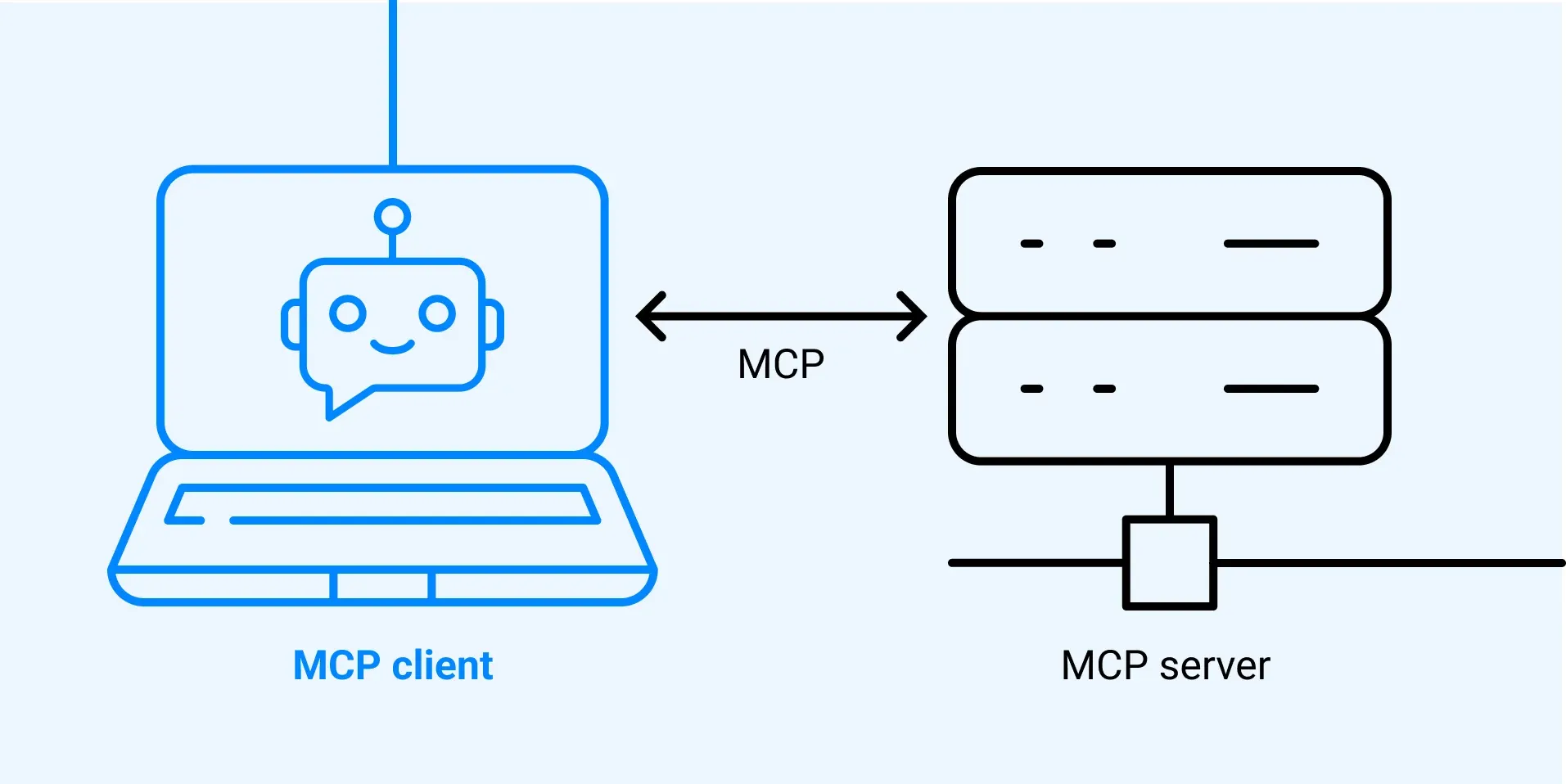
Now that we have our MCP server working, it's time to build the client side. The client is what allows our application to communicate with the MCP server and access its functionality. In this guide, we'll implement a robust MCP client that bridges your application logic with server capabilities.
Understanding the Client Architecture
In most real-world projects, you'll either implement an MCP client OR an MCP server—not both. We're building both in this project just so you can see how they work together and understand the complete MCP ecosystem.
The Two-Layer Client Structure
The MCP client consists of two main components:
- MCP Client - A custom class we create to make using the session easier and more intuitive
- Client Session - The actual connection to the server (part of the MCP Python SDK)
The client session requires proper resource cleanup when we're done with it. That's why we wrap it in our custom MCP Client class—to handle all that cleanup automatically using Python's context manager pattern.
How the Client Fits Into Our Application
Remember our application flow? Our CLI code needs to do two main things with the MCP server:
- Get a list of available tools to send to Claude
- Execute tools when Claude requests them
The MCP client provides these capabilities through simple method calls that our application code can use, abstracting away the complexity of managing connections and protocol details.
The Complete Application Flow
User Question
    ↓
CLI Application
    ↓
MCP Client.list_tools() → Get available tools
    ↓
Send tools + question to Claude API
    ↓
Claude decides to use a tool
    ↓
MCP Client.call_tool() → Execute the tool
    ↓
Tool result → Claude → Final response
    ↓
Display to user
Implementing the Core Methods
We need to implement two key methods in our client: list_tools() and call_tool(). These methods form the foundation of our client's functionality.
List Tools Method
This method gets all available tools from the server:
async def list_tools(self) -> list[types.Tool]:
    result = await self.session().list_tools()
    return result.tools
What's happening here:
- We access our session (the connection to the server)
- Call the built-in
list_tools()function provided by the MCP SDK - Extract and return the tools from the result object
This method is straightforward but essential—it's how Claude discovers what capabilities are available through your MCP server.
Call Tool Method
This method executes a specific tool on the server:
async def call_tool(
    self, tool_name: str, tool_input: dict
) -> types.CallToolResult | None:
    return await self.session().call_tool(tool_name, tool_input)
What's happening here:
- We receive the tool name and input parameters (provided by Claude)
- Pass them to the server's
call_tool()method - Return the result directly to the caller
The beauty of this design is that our application code doesn't need to know anything about the MCP protocol—it just calls this method with the tool name and parameters.
The Complete MCP Client Class
Here's how the full client class structure looks:
from mcp import ClientSession, StdioServerParameters
from mcp.client.stdio import stdio_client
from mcp import types

class MCPClient:
    def __init__(self, command: str, args: list[str]):
        """Initialize the MCP client with server connection parameters."""
        self.server_params = StdioServerParameters(
            command=command,
            args=args
        )
        self._session = None

    async def __aenter__(self):
        """Set up the client session when entering context."""
        self.stdio_transport = await stdio_client(self.server_params).__aenter__()
        self._session = self.stdio_transport[1]
        return self

    async def __aexit__(self, exc_type, exc_val, exc_tb):
        """Clean up the client session when exiting context."""
        await self.stdio_transport[0].__aexit__(exc_type, exc_val, exc_tb)

    def session(self) -> ClientSession:
        """Get the active client session."""
        if self._session is None:
            raise RuntimeError("Client session not initialized")
        return self._session

    async def list_tools(self) -> list[types.Tool]:
        """Get all available tools from the MCP server."""
        result = await self.session().list_tools()
        return result.tools

    async def call_tool(
        self, tool_name: str, tool_input: dict
    ) -> types.CallToolResult | None:
        """Execute a tool on the MCP server."""
        return await self.session().call_tool(tool_name, tool_input)
Testing the Client
To test our implementation, we can run the client directly. The file includes a testing harness that connects to our MCP server and calls our methods:
import asyncio

async def test_client():
    async with MCPClient(
        command="uv",
        args=["run", "mcp_server.py"]
    ) as client:
        # Test listing tools
        result = await client.list_tools()
        print("Available tools:")
        print(result)

        # Test calling a tool
        tool_result = await client.call_tool(
            "read_doc_contents",
            {"document_name": "report.pdf"}
        )
        print("\nTool result:")
        print(tool_result)

if __name__ == "__main__":
    asyncio.run(test_client())
Expected Test Output
When we run this test, we should see our tool definitions printed out, including the read_doc_contents and edit_document tools we created earlier:
Available tools:
[
  Tool(
    name='read_doc_contents',
    description='Read the contents of a document',
    inputSchema={...}
  ),
  Tool(
    name='edit_document',
    description='Edit or create a document',
    inputSchema={...}
  )
]
Putting It All Together
Now that our client can list tools and call them, we can test the complete flow. When we run our main application and ask Claude about a document, here's what happens:
Step-by-Step Execution Flow
-
Tool Discovery
- Our code uses the client to get available tools via
list_tools() - These tools are sent to Claude along with the user's question
- Our code uses the client to get available tools via
-
Claude's Decision
- Claude analyzes the question and available tools
- Decides to use the
read_doc_contentstool to answer the question
-
Tool Execution
- Our code uses the client to execute that tool via
call_tool() - The MCP server processes the request and returns the document contents
- Our code uses the client to execute that tool via
-
Response Generation
- The result is sent back to Claude
- Claude formulates a natural language response using the document data
- The response is displayed to the user
Example Interaction
User asks: "What is the contents of the report.pdf document?"
Behind the scenes:
# 1. List tools
tools = await client.list_tools()

# 2. Send to Claude with user question
response = await claude_api.messages.create(
    model="claude-3-5-sonnet-20241022",
    messages=[{"role": "user", "content": "What is the contents of the report.pdf document?"}],
    tools=tools
)

# 3. Claude requests tool use
# response.stop_reason == "tool_use"

# 4. Execute the tool
tool_result = await client.call_tool(
    "read_doc_contents",
    {"document_name": "report.pdf"}
)

# 5. Send result back to Claude
final_response = await claude_api.messages.create(
    model="claude-3-5-sonnet-20241022",
    messages=[
        {"role": "user", "content": "What is the contents of the report.pdf document?"},
        {"role": "assistant", "content": response.content},
        {"role": "user", "content": [{"type": "tool_result", "tool_use_id": tool_use_id, "content": tool_result}]}
    ]
)
Claude's response: "The report.pdf document contains information about a 20m condenser tower project, including specifications, timeline, and budget details."
Key Benefits of This Architecture
1. Separation of Concerns
The client handles all connection management, allowing your application code to focus on business logic.
2. Automatic Resource Cleanup
Using Python's context manager pattern (async with) ensures the connection is properly closed, even if errors occur.
3. Simple API
Just two methods—list_tools() and call_tool()—provide everything needed to integrate MCP functionality.
4. Reusability
This client can connect to any MCP server, not just the one we built. It's a general-purpose MCP client implementation.
Common Patterns and Best Practices
Always Use Context Managers
# ✅ Good - automatic cleanup
async with MCPClient(command="uv", args=["run", "server.py"]) as client:
    tools = await client.list_tools()

# ❌ Bad - manual cleanup required
client = MCPClient(command="uv", args=["run", "server.py"])
await client.__aenter__()
tools = await client.list_tools()
await client.__aexit__(None, None, None)  # Easy to forget!
Handle Connection Errors Gracefully
try:
    async with MCPClient(command="uv", args=["run", "server.py"]) as client:
        tools = await client.list_tools()
except Exception as e:
    print(f"Failed to connect to MCP server: {e}")
    # Fallback behavior or user notification
Cache Tool Lists When Appropriate
class Application:
    def __init__(self):
        self._tools_cache = None

    async def get_tools(self, client: MCPClient):
        if self._tools_cache is None:
            self._tools_cache = await client.list_tools()
        return self._tools_cache
Troubleshooting Common Issues
"Client session not initialized" Error
Cause: Trying to use the client outside of a context manager.
Solution: Always use async with MCPClient(...) as client:
Server Connection Timeout
Cause: The MCP server isn't starting or is taking too long to initialize.
Solution: Check that your server command and args are correct, and that the server starts successfully when run directly.
Tool Execution Fails
Cause: Invalid tool parameters or server-side errors.
Solution: Check the tool's input schema and ensure you're passing the correct parameter types.
Next Steps
With a working MCP client, you now have:
- ✅ A way to discover available tools from any MCP server
- ✅ A method to execute those tools with parameters
- ✅ Automatic connection management and cleanup
- ✅ A foundation for building AI-powered applications
In the next section, we'll integrate this client into our main CLI application and create a complete conversational loop with Claude, allowing users to interact with documents through natural language.
The client acts as the bridge between our application logic and the MCP server, making it easy to access server functionality without worrying about the underlying connection details. This abstraction is what makes MCP so powerful—you can focus on building great user experiences while the protocol handles the complexity of tool discovery and execution.